# Origens de Pedidos

Como utilizar a função Origens de Pedido para divulgar o Toplojas utilizando Influencer, Vendedor para computar a comissão, ou afiliado desejado.

Precisamos criar um link para o Influencer, Vendedor para computar a comissão, ou afiliado desejado utilizar com seus clientes

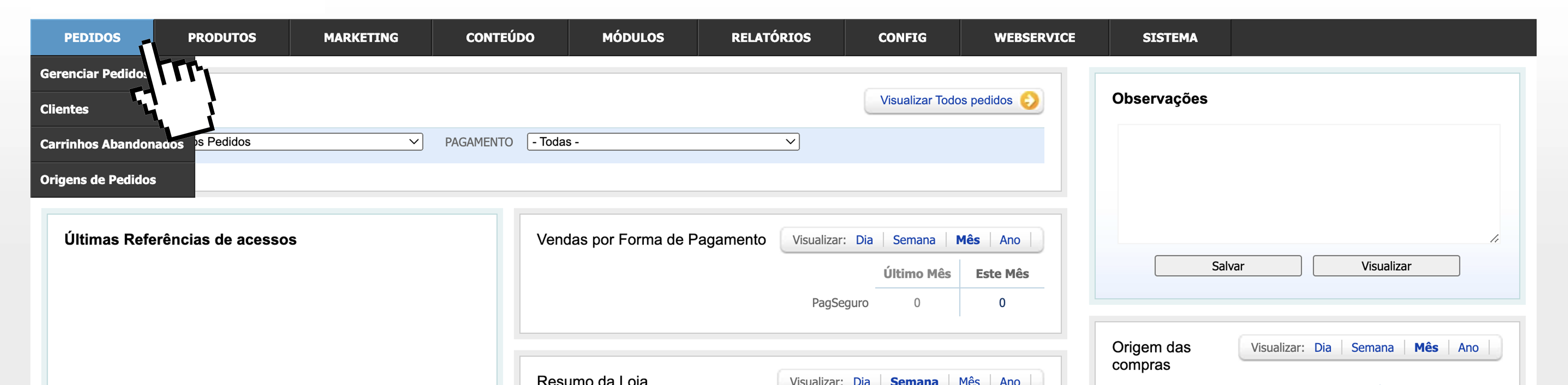
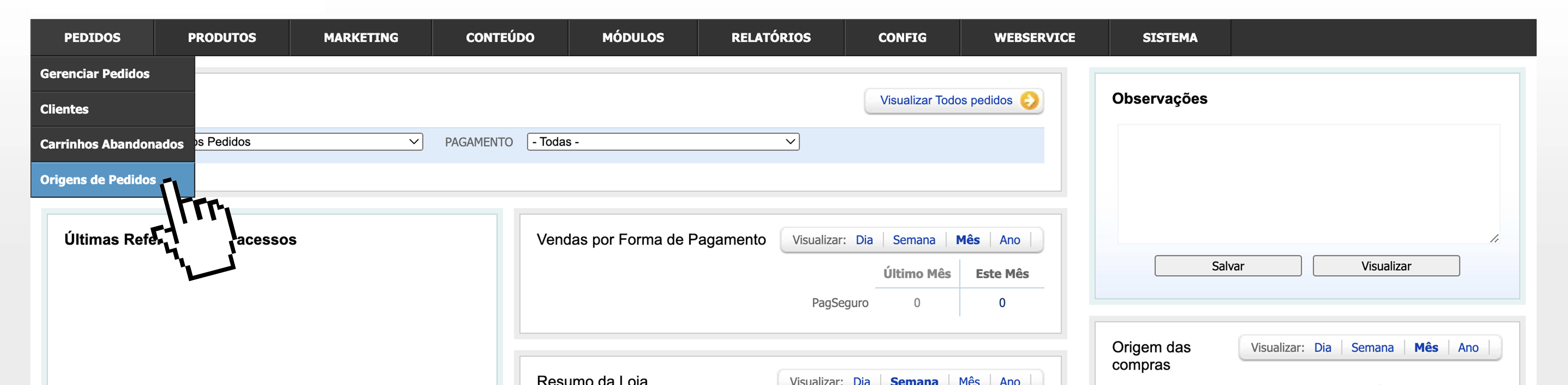
Para isso apoie o mouse em "Pedidos"

<figure><img src="/files/6CDld1ijquOoppahFcpc" alt=""><figcaption></figcaption></figure>

Clique em "Origens de Pedidos"

<figure><img src="/files/3AOYlhR7fyz0y5Rj3flU" alt=""><figcaption></figcaption></figure>

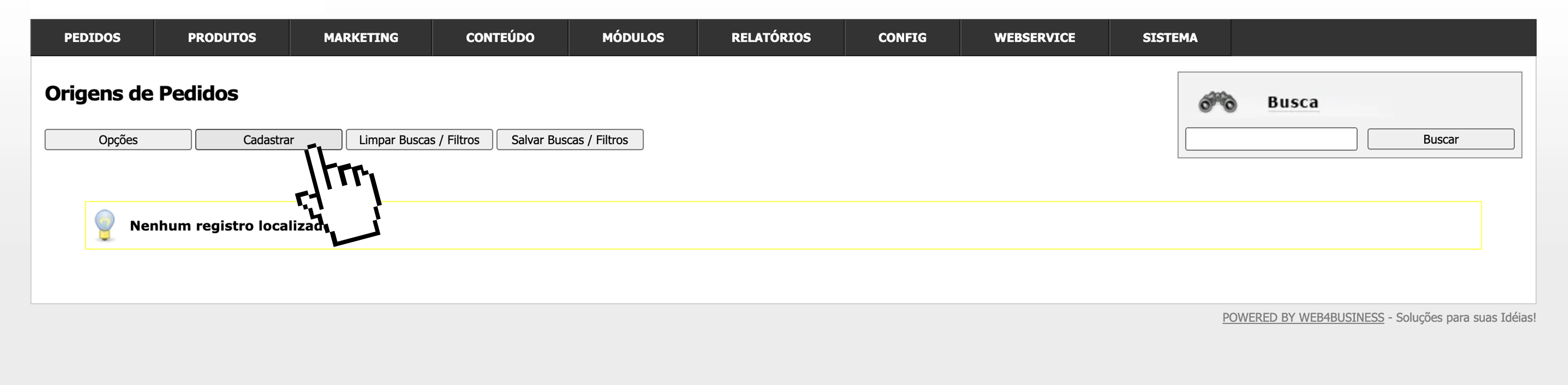
Agora vamos cadastrar uma origem clicando em "Cadastrar"

<figure><img src="/files/5UWs9DpNA4auB3qmGWGe" alt=""><figcaption></figcaption></figure>

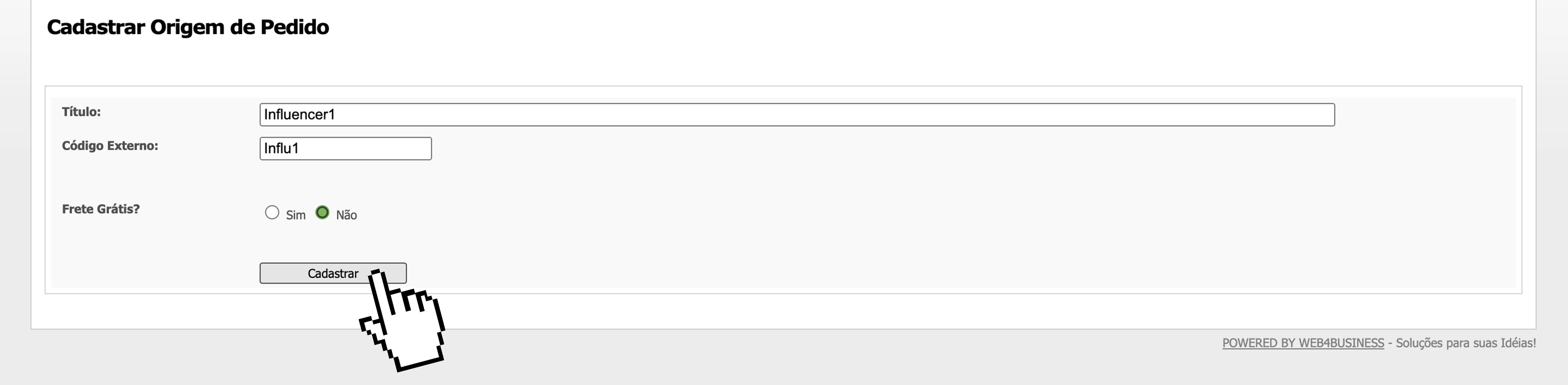
Preencha o Título, o código opcional, responda se o frete será grátis e clique em "Cadastrar"

<figure><img src="/files/hU1dsdMVWLJNOUkrdycl" alt=""><figcaption></figcaption></figure>

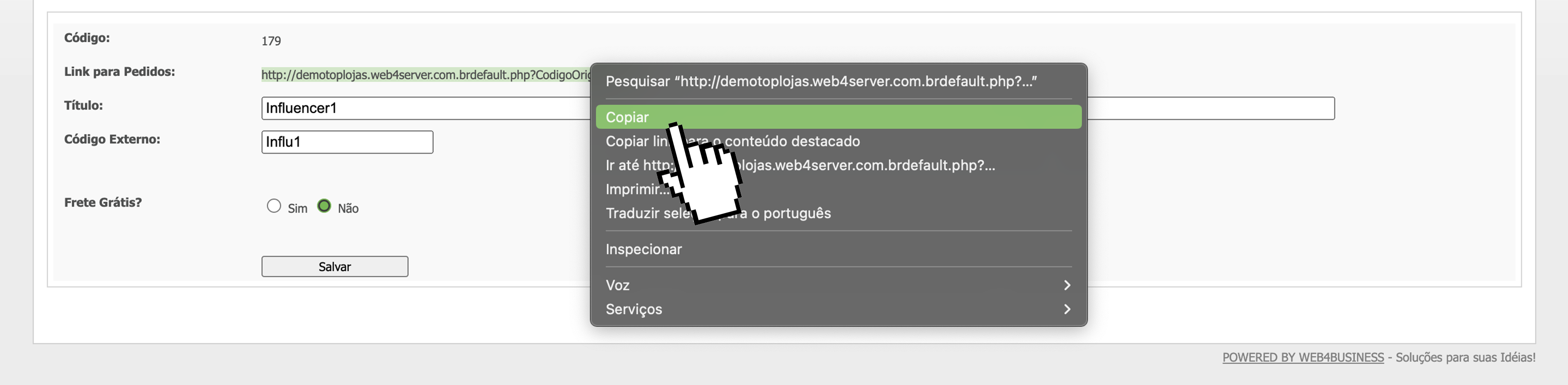
Agora Copie o link de Origem do Pedido, e compartilhe com um Influencer, Vendedor para computar a comissão, ou afiliado desejado.
<figure><img src="/files/FA8ddxZVCtsXQpPjEPeC" alt=""><figcaption></figcaption></figure>


---

# Agent Instructions: Querying This Documentation

If you need additional information that is not directly available in this page, you can query the documentation dynamically by asking a question.

Perform an HTTP GET request on the current page URL with the `ask` query parameter:

```
GET https://ajuda.toplojas.com.br/pedidos/origens-de-pedidos.md?ask=<question>
```

The question should be specific, self-contained, and written in natural language.
The response will contain a direct answer to the question and relevant excerpts and sources from the documentation.

Use this mechanism when the answer is not explicitly present in the current page, you need clarification or additional context, or you want to retrieve related documentation sections.