# Suporte

Em alguns casos pode ser necessário conceder acesso, a sua conta Comercial, para que nosso suporte verifique alguma dificuldade.

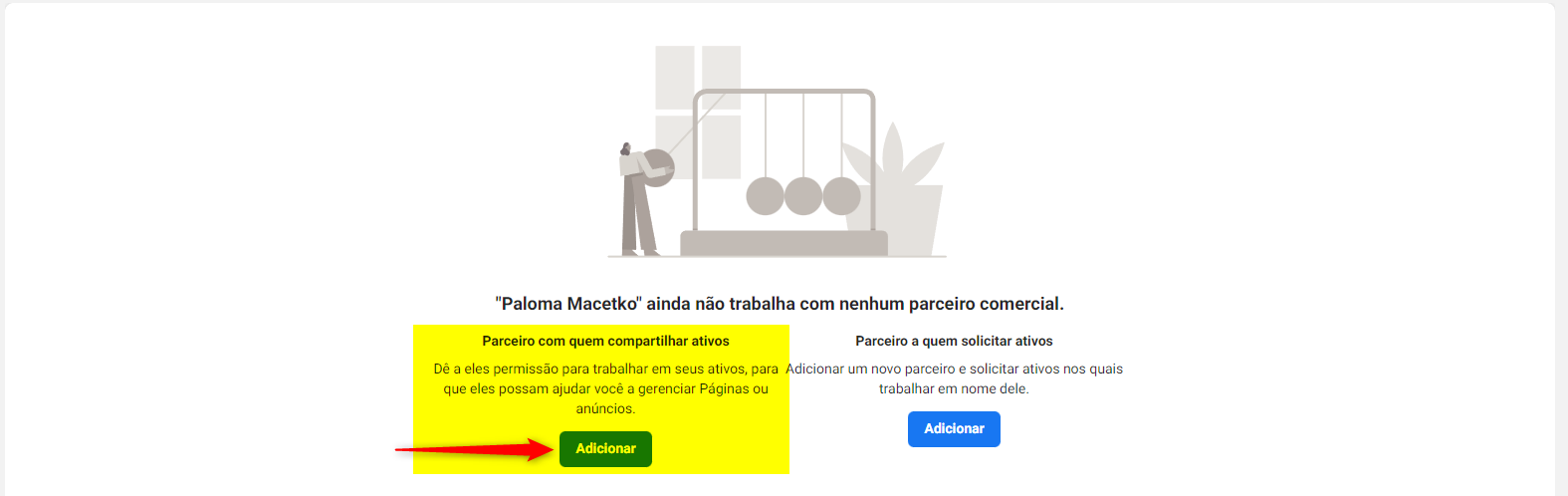
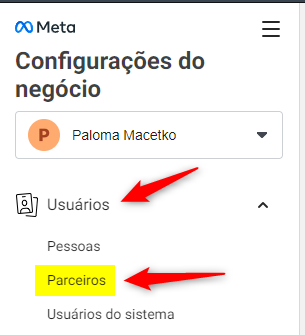
Para isto, clique em "**Usuários -> Parceiros**":&#x20;

<figure><img src="/files/fFUtJmZxPmc1tvhJUSiD" alt=""><figcaption></figcaption></figure>

Na coluna "**Parceiro com quem compartilhar ativos**" clique em "**Adicionar**":&#x20;

<figure><img src="/files/85Gi1FOlWNuok3o1CCCb" alt=""><figcaption></figcaption></figure>

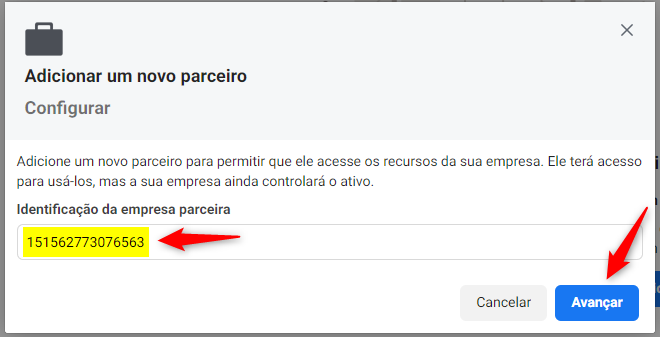
Será exibido uma janela para indicar a empresa parceira.

Preencha o campo "**Identificação da empresa parceira**" com o código abaixo:

```
151562773076563
```

Após, clique em "**Avançar**":&#x20;

<figure><img src="/files/rSN249rHs7XU1Wx4tbaj" alt=""><figcaption></figcaption></figure>

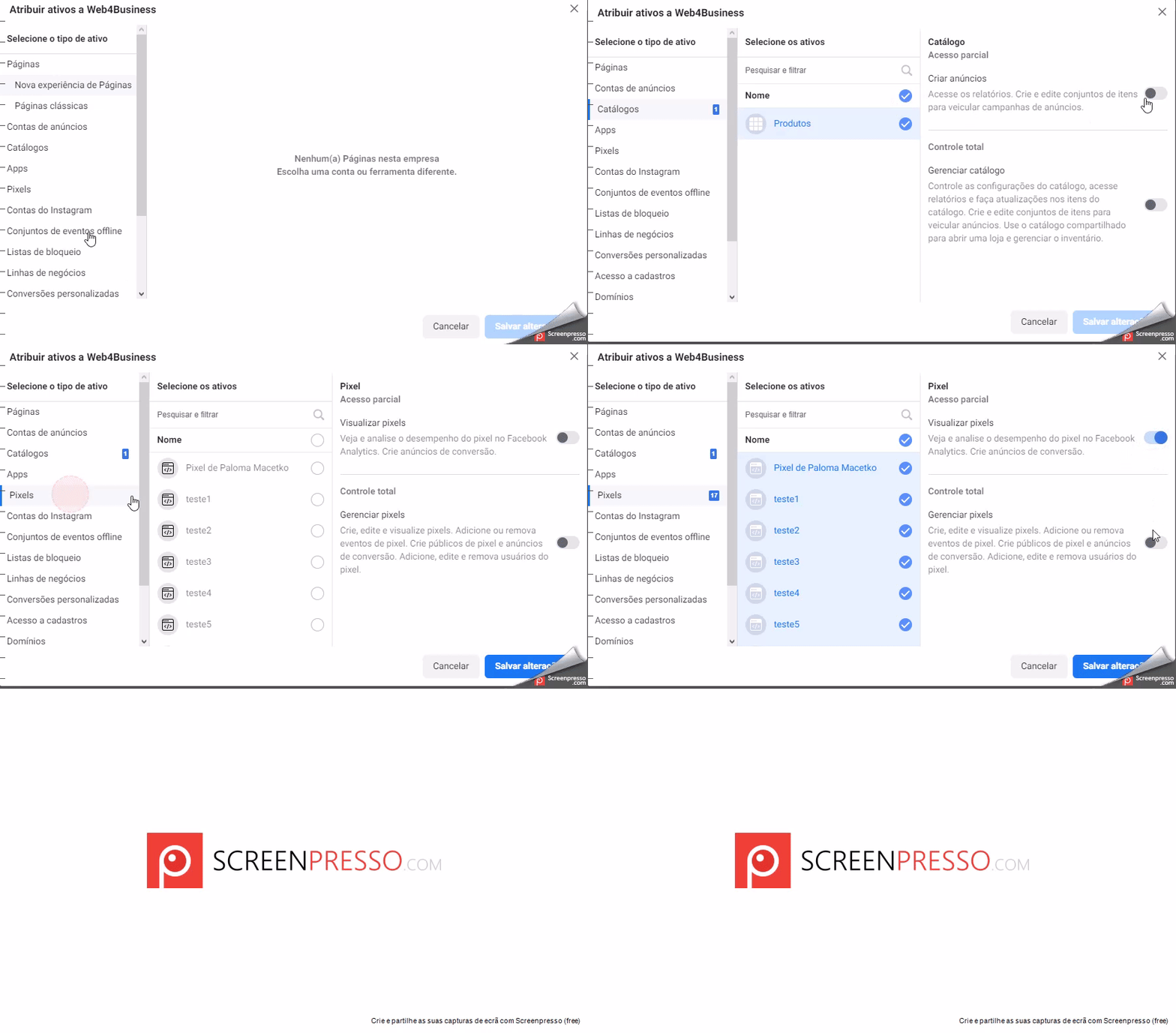
Será exibido todos os recursos de sua conta, marque todos os "**Ativos**" disponíveis em "**Catálogo**" e "**Pixels**":&#x20;

<figure><img src="/files/nYjIk6SiD2L5n9j4avzP" alt=""><figcaption></figcaption></figure>

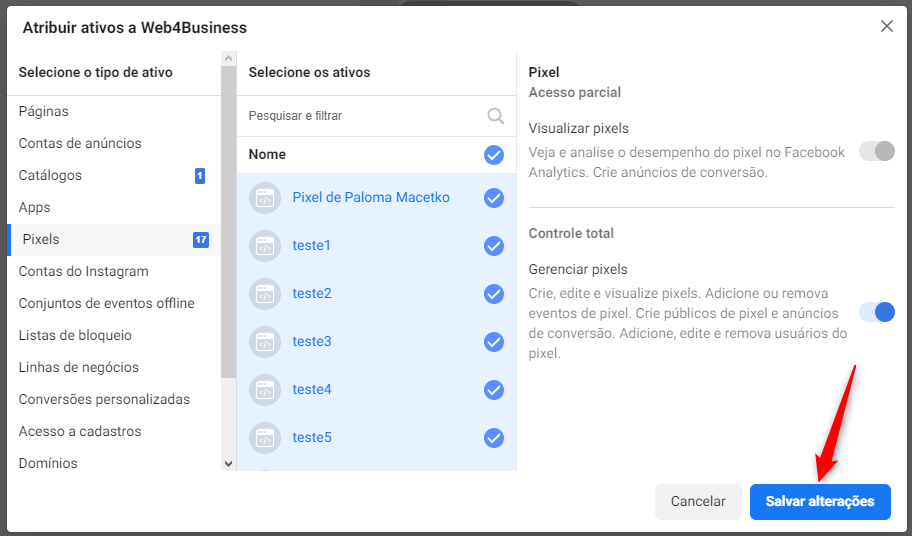
Após isto, clique em "**Salvar Alterações**":&#x20;

<figure><img src="/files/mrM1A9wElbtAbXN6mvVI" alt=""><figcaption></figcaption></figure>

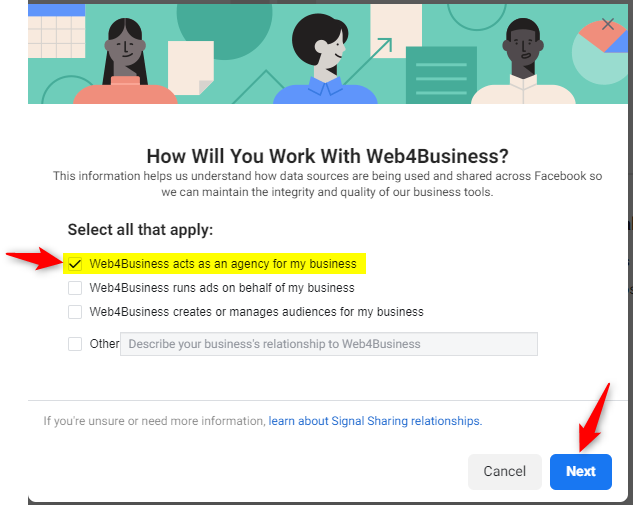
Após isto, selecione "**Web4Business acts as an agency for my business**" e clique em "**Next**":&#x20;

<figure><img src="/files/hgALO1aobtFTtdvuhAwm" alt=""><figcaption></figcaption></figure>

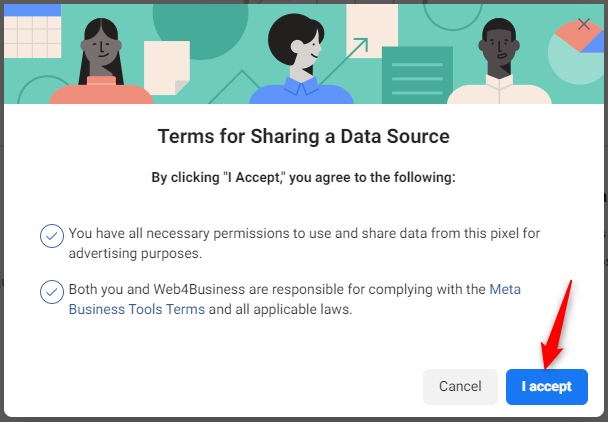
Por último, clique em "**I Accept**":&#x20;

<figure><img src="/files/KFbmSI9s1aHqNt8ahwcA" alt=""><figcaption></figcaption></figure>

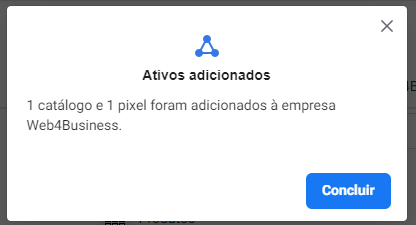
Será exibo uma janela confirmando que os recursos da conta foram compartilhados com a **Web4Business**:&#x20;

<figure><img src="/files/i1rHFipPmywNN8bQYwVe" alt=""><figcaption></figcaption></figure>

**Pronto!** Agora nossas equipe tem acesso aos ativos de seu negócio.

---

# Agent Instructions: Querying This Documentation

If you need additional information that is not directly available in this page, you can query the documentation dynamically by asking a question.

Perform an HTTP GET request on the current page URL with the `ask` query parameter:

```
GET https://ajuda.toplojas.com.br/integracoes/facebook/suporte.md?ask=<question>
```

The question should be specific, self-contained, and written in natural language.
The response will contain a direct answer to the question and relevant excerpts and sources from the documentation.

Use this mechanism when the answer is not explicitly present in the current page, you need clarification or additional context, or you want to retrieve related documentation sections.