> For the complete documentation index, see [llms.txt](https://ajuda.toplojas.com.br/llms.txt). Markdown versions of documentation pages are available by appending `.md` to page URLs; this page is available as [Markdown](https://ajuda.toplojas.com.br/formas-de-pagamento/configurando-forma-de-pagamento-principal.md).
# Configurar Forma de Pagamento Padrão
Nas listagens de produtos e nos detalhes dos produtos é exibido o parcelamento do produto, Exemplo:


Para isto, precisamos configurar a forma de pagamento principal da loja, esta forma de pagamento será utilizada no cálculo de parcelamento das listagens e detalhes dos produtos.
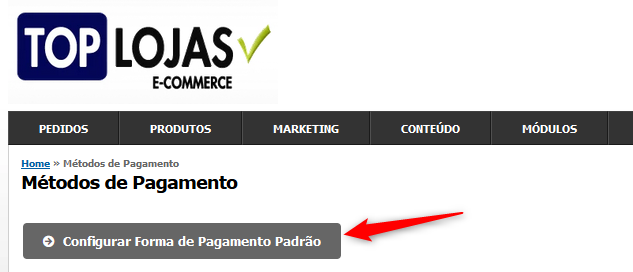
Clique em "**Config -> Métodos de Pagamentos -> Configurar Forma de Pagamento Padrão**":
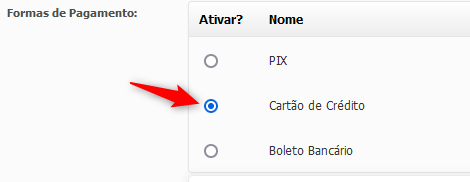
Clique na Forma de Pagamento desejada:
Clique em "**Salvar Configurações**":
{% hint style="info" %}
Após esta alteração, pode levar **alguns minutos** até que a alteração seja exibida na Loja
{% endhint %}