> For the complete documentation index, see [llms.txt](https://ajuda.toplojas.com.br/llms.txt). Markdown versions of documentation pages are available by appending `.md` to page URLs; this page is available as [Markdown](https://ajuda.toplojas.com.br/formas-de-entrega/configurando-formas-de-entrega/rodonaves.md).
# Rodonaves
## Contato com a Rodonaves
Em caso de dúvidas, você pode conversar com a **Rodonaves** clicando em "**Fale com a gente**" no Link Abaixo:
{% embed url="" %}
## Criando uma conta na Rodonaves
Converse com a Rodonaves, através do Link Abaixo, para criar um Cadastro na Rodonaves:
{% embed url="" %}
## Obtendo os dados necessários para a configuração
Após a conta ser criada, solicite a Rodonaves o "**Usuário**" e a "**Senha**" de integração.
## Configurando Rodonaves na Loja
Clique em "**Config -> Métodos de Entrega**", em "**Rodonaves**" clique em "**Ativar**":
Desça até "**Informações da Conta Rodonaves**":
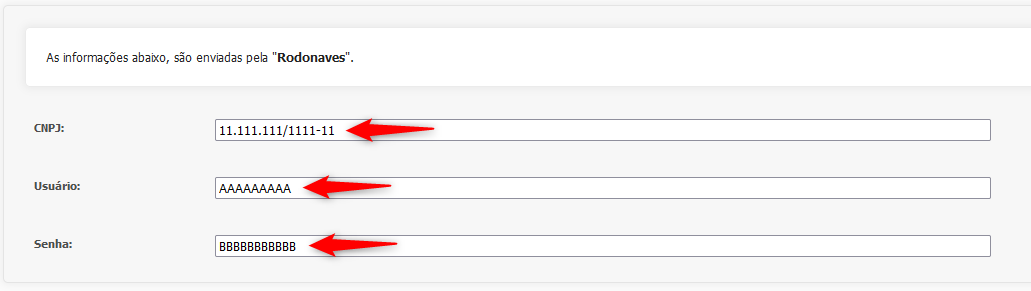
Preencha o "**Usuário**" e "**Senha**" conforme os dados enviados pela Rodonaves, e o **CNPJ** da Empresa utilizado em seu cadastro junto a Rodonaves:
Agora que configuramos, clique em "**Ativar Forma de Entrega**":
Será exibido um alerta indicando que as configurações foram aplicadas com sucesso:
**Pronto!** Agora a Forma de Entrega está disponível para os Clientes: